Step-by-Step: From Product Idea to Sale — Using Dropshiptool’s Sales Tracker

Getting a new product to sell is only half the story. To turn an idea into revenue, you need live data, clear steps, and smart tools. That’s where Dropshiptool’s Sales Tracker comes in. You can see exactly what’s selling, compare results across stores, and make quick decisions. The platform cuts through guesswork so you won’t waste marketing spend or time chasing slow products.

If you want to move fast and stay profitable, this guide takes you through every stage—finding your idea, tracking the right sales markers, and launching products that actually convert.
How to Go from Product Idea to Sale
Here’s a step-by-step guide that walks you through the entire process. Here is how you can go from product idea to sale:
1. Start With Your Product Idea
You know a good product needs to solve a real problem or match customer demand. But guessing isn’t enough. Dropshiptool gives you a clear shot at validation by showing which products are selling across thousands of Shopify stores. You should look for patterns—high sales, frequent restocks, and consistent revenue. Use real sales volume, not just reviews or social hype.
Quick ways to spot a strong product using Dropshiptool:
- Scan top-selling categories for recent sales spikes
- Filter by profit margin and ad performance
- Tag items that match your niche or store style
If you notice duplicates or lots of similar products bubbling up, skip anything that’s trending for only a day or two. You want stable winners.
Analyzing Trends Before You Launch
Let’s see how Dropshiptool highlights what’s hot. Daily sales numbers and full revenue reports give you a clear sense of a product’s growth. You can check both current and historic data to avoid slow sellers. Unlike manual checks, the tool updates in real time—so you’ll see changes fast and don’t rely on old metrics.
2. Linking Your Store and Setting Up Sales Tracking
You could set up Dropshiptool by logging into your account and choosing the store to track. Add your Shopify link and confirm your login. Dropshiptool works across up to 3 million stores, so you aren’t boxed into one market or region. There will be prompts for permissions—approve those to unlock full sales data.
Once connected, you can:
- Pull product data (name, price, cost, sales volume)
- Automatically sync stock and pricing changes
- Track store performance against others in your niche
Setting Sales Targets and Alerts
Dropshiptool’s dashboard lets you set goals for each product—total units, profit margin, target revenue. You will get a notification if items fall behind or spike in sales. Handy if you want to react fast without checking spreadsheets.
If you need to track multiple items, set up custom alerts for each:
- Low inventory warnings
- Fast-selling item notifications
- Profit margin drops
You’ll know exactly when to restock or run ads, without digging through old reports.
3. Tracking Sales, Costs, and True Profit
Every order updates inside the Sales Tracker. You can follow recent sales with a live graph and see which products move fastest. Dropshiptool breaks down not just revenue, but real profit—factoring in shipping, ad spend, fees, and supplier costs.
If you want to validate new ideas, compare sales velocity over days or weeks. Products that stall out early usually aren’t worth scaling. You can run spot checks and match sales volume to price changes or ad campaigns.
Some data points you can monitor:
- Daily and monthly sales totals
- Store-by-store performance
- Profit margins after all fees
Real-Time Revenue Analysis
You should use the Sales Tracker’s detailed breakdown to spot quick wins. Move funds from low-profit items to those that outperform. The smart filtering lets you build simple reports that help with planning—not just reviewing the past.
If your store sells in multiple regions, Dropshiptool keeps each store separate so you avoid mixing up results. See which country or region drives the most orders, then shift resources for best results.
4. Using Competitor Data and Market Trends
You won’t just track your results. Dropshiptool benchmarks your products against similar stores. If you notice rival stores suddenly increasing sales on an item you stock, scan their pricing, ad copy, and reviews. You can find gaps—maybe they run a short promo, or their product page answers more customer questions.
The competitor feature also lets you:
- Analyze competitor pricing vs your own
- Review top Facebook ad creatives driving their sales
- Spot trends before you commit ad spend
Let’s see what the data suggests: if one competitor is about to run out of stock, you can increase your listing’s visibility or run an ad boost for fast gain.
Spotting Market Shifts Early
If you want to keep up with trends, Dropshiptool’s Sales Tracker flags weekly drops and trending products. You could add new items just as demand picks up, keeping your store stocked with high-converting picks. Track ad performance and market trends in one spot—no need for extra software.
5. Optimizing Product Listings for Higher Conversion
You will want a clean, scannable product page. Dropshiptool’s store tracker uncovers details like:
- Top sales copy themes—what’s working, what’s not
- Product images that drive quick sales
- Price ranges for fastest-selling items
If an item gets lots of sales in a short burst, look for advertising links or featured creatives. You can adjust your own product title, description, and calls to action so they match proven winners.
Improve your listings instantly:
- Use concise headlines and bullet points
- List price, cost, and clear profit margin
- Add product badges (e.g., “Best Seller” or “New”)
Testing, Validation, and Iteration
You should run small campaigns and compare conversion rates. Dropshiptool lets you A/B test listings, track ad spend, and spot which version gets more sales. It’s fast—no waiting for weeks to see changes. If the Tracker shows a dip, swap images or change price fast.
6. Launching Your Product and Watching Real Sales Come In
Once your product is validated and your listing is ready, hit “go live” on Shopify. Dropshiptool will monitor orders, alert you to spikes, and keep tabs on inventory. If you see immediate sales, check the Tracker and adjust ads or restock fast. You should use notifications to stay updated, so you don’t miss a product taking off.
If a product keeps selling, you can increase ad spend, restock, or add upsell offers. Dropshiptool makes it simple to track earnings in real time—so you invest in what’s working and cut what’s not.
7. Advanced Tracking: Multi-Store Management
You should watch sales data and profit margins across multiple stores. You don’t have to log in and out or keep messy spreadsheets. Find which products do best in each store. Compare performance regularly.
If you need to plan a big promo or inventory buy, use the tool’s monthly reports for accurate forecasting.
Handling Challenges
You’ll know which stores lag and why. Dropshiptool flags problems quick—so you spot low inventory, bad suppliers, or cart issues before they hit profit. Use the centralized dashboard to run audits, review SKU performance, and keep your team on the same page.
How to Use Dropshiptool's Sales Tracker to Go from Product Idea to Sale
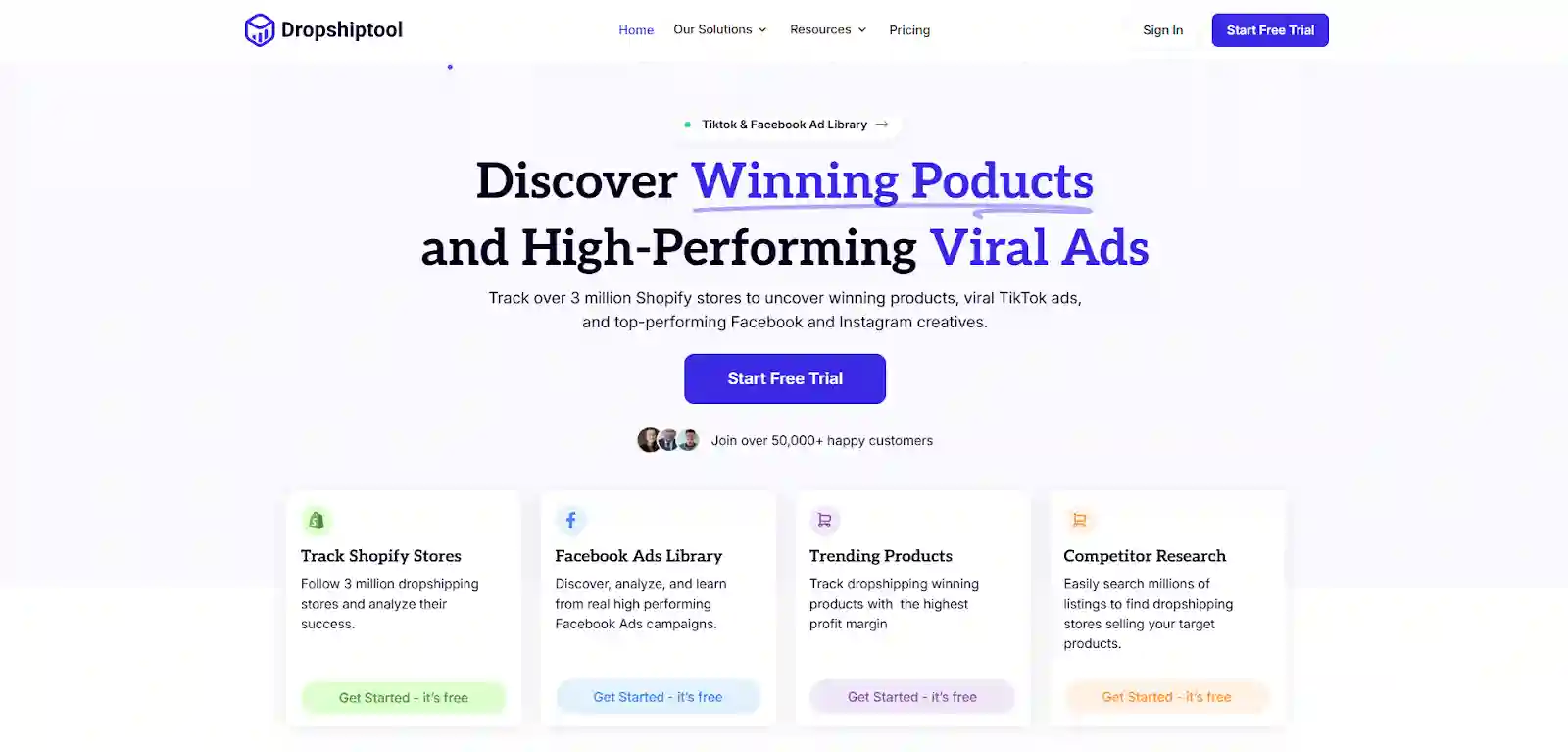
You have a product idea. Now comes the hard part—testing it, tracking it, and selling it fast without losing money. Dropshiptool's Sales Tracker removes the guesswork. Let's walk through what you actually do.
Starting: Research and Validation
You start by opening the Dropshiptool dashboard. Search for products in your niche or categories you know well. Let's say you're looking at phone accessories. You could type "waterproof phone case" and the Sales Tracker pulls up live sales data from stores already selling this item.
You'll see crucial numbers: how many units sold in the last 30 days, current price range, profit margin per item, and which stores moved the most inventory. If you notice the waterproof phone case has 500+ monthly sales and stores price it between $15–$25, that's a signal the market wants it.
But don't stop there. You'll want to check:
- Revenue trends over weeks or months
- Competitor store performance on the same item
- Seasonal dips or spikes
- Customer feedback and return rates
If the data shows steady sales without sharp drops, you have a winner to pursue.
Setting Up Your Store and Tracking
Once you pick your product, you add it to your Shopify store. Dropshiptool connects to your shop automatically after initial setup. You input basic details: product name, price, supplier cost, shipping fee, and ad spend per unit.
The Sales Tracker then calculates real profit for you. If you're selling the waterproof case for $22 and your total costs are $8 (product + shipping + fees), you're looking at $14 profit per sale. That math matters—it helps you decide how much to spend on ads and still stay profitable.
You should set alerts for this product immediately. Tell Dropshiptool to notify you if daily sales drop below 10 units or if inventory runs low. These alerts help you react fast without constant manual checks.
Launch Week: Ads and Monitoring
You're ready to push the product live. You create a basic Facebook ad with product images, a simple headline, and a link to your store. You start with a small budget—$10 to $20 per day—to test if people click and buy.
Dropshiptool tracks everything in real time. You'll see orders come through your store, watch the daily sales graph climb (or drop), and monitor which traffic source converts best. If your Facebook ad brought 50 clicks and 8 purchases, that's a 16% conversion rate—solid for many niches.
You check the dashboard each morning. If sales are steady, you hold the ad spend flat for a few days to gather more data. If you notice a spike—say, 20 orders in one day—you increase ad spend by 50% to ride the momentum.
Weeks Two and Three: Scaling and Adjustment
By week two, you have enough data to make smart moves. If the waterproof phone case is selling well and profit margins are healthy, you scale ads. You might bump Facebook spend to $50 per day or test a second ad set.
Dropshiptool shows you competitor activity each week. You could see that rival stores are running heavy promotions or dropping prices. If a competitor suddenly cuts the price from $22 to $18, you now have a choice: match the price, hold steady, or pivot to a different product variant (like a different color or size).
You also monitor inventory constantly. If your supplier has 1,000 units in stock but sales are moving 50 units daily, you know you have roughly three weeks of supply. You can reorder before running out, preventing stock outs that kill sales momentum.
Month Two: Iterate or Move On
After one full month, the Sales Tracker gives you clear performance metrics. If the product is profitable and sales remain steady, you double down. You might add it to email campaigns, create bundle offers with other products, or launch ads on TikTok.
If sales stalled or profit margins shrunk due to rising supplier costs, you have two paths: tweak the product (new color, different niche angle) or kill it and test the next idea.
Let's see different product types you could test with this same workflow:
- Pet toys: Use the Sales Tracker to check if cute or durable pet toys sell year-round. Many do. Profit margins often hit 60–70%.
- Kitchen gadgets: Track seasonal demand. Air fryers sold like crazy in 2023–2024. Use Dropshiptool to see if that trend continues or fades.
- Fitness gear: Dumbbells, resistance bands, yoga mats. These have consistent demand, especially in January and September.
- Home organizers: Storage bins, drawer dividers, shelf organizers. Steady sellers with good margins.
- Tech accessories: Phone stands, laptop risers, cable organizers. Quick turnover with low return rates.
Each product type has its own sales rhythm. Dropshiptool lets you spot those patterns so you invest smartly.
Real Numbers from One Month
Let's say you ran this exact process and here's what happened:
- Product: Waterproof phone case
- Launch date: November 1
- Sales by end of November: 245 units
- Price per unit: $22
- Total revenue: $5,390
- Total costs (product + shipping + ads): $2,380
- Net profit: $3,010
That profit came because you tracked sales daily, adjusted ad spend when spikes hit, and caught competitor moves early enough to stay competitive. Without Dropshiptool's live tracking, you'd have guessed and likely wasted $500+ on ads that didn't work.
How to Sell Your Product Ideas to Investors
You built your first product to sales. Now you want money to scale. Investors don't fund hunches—they fund proof. Here's how to pitch your idea and land funding.
Build a Clear Story With Numbers
Investors want to see proof your product works. Open with your sales data from Dropshiptool. Show them:
- Monthly revenue from your first product
- Profit margins and unit sales
- Customer feedback and repeat purchase rates
- Traffic sources and ad performance
If you sold $5,390 in revenue with 60% net profit in month one, that's a compelling fact. Pair it with a roadmap: "At this growth rate, we'll hit $50,000 monthly revenue in six months."
Numbers beat promises. Always.
Show Market Size and Opportunity
Investors ask: Is this a niche idea or a big market? Show them the addressable market. If you're selling pet toys, research the pet industry size. Use Dropshiptool data to show which product categories are trending and where growth is happening.
Tell them: "The pet accessories market is $25 billion annually in the US alone. We're in a $500 million subsegment (pet toys). We've proven we can capture market share. Here's how we scale."
Outline Your Go-to-Market Plan
Don't just say you'll "scale." Be specific:
- Which ads platforms will you use (Facebook, TikTok, Google)?
- How much ad spend per month and expected ROI?
- Which countries or regions come next?
- When will you add new products to the lineup?
- Investors like founders who have thought through the next 12 months in detail.
Present Your Team
Even a solo founder needs credibility. Show your background, why you understand the market, and why you can execute. If you don't have e-commerce experience, highlight what you do have—sales skills, marketing chops, or customer relationships.
If you're bringing on a co-founder, explain their strengths. Investors bet on people, not just ideas.
Close With a Clear Ask
Be direct: "We're raising $100,000 to scale ad spend to $10,000 per month and launch three new products. At that spend level, we project $500,000 revenue in 12 months."
Investors respect clarity. Tell them exactly what you need and what they'll get in return (equity percentage, expected returns, timeline to profitability).
Conclusion
You don’t need luck to find products that sell. With Dropshiptool’s Sales Tracker, you follow a clear process: research, tracking, testing, and adjusting based on real-world data. You stay ahead of trends, cut wasted spend, and grow your store with confidence. The key is using current numbers—not old guesses. Start with the right tool, set smart alerts, watch sales live, and build your next winning product with the facts in hand. Use Dropshiptool today!